Setting up your 日本通信ID
» 日本語
Step 1: Register your 日本通信ID
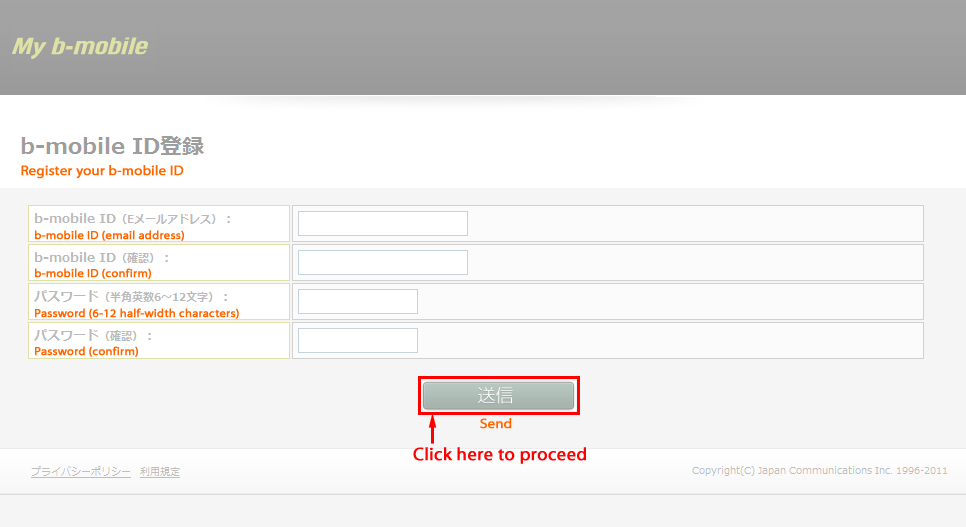
- Enter your ID (your email address) and password to create your 日本通信ID .
- Once you have entered your ID (your email address) and password, click “Send”.
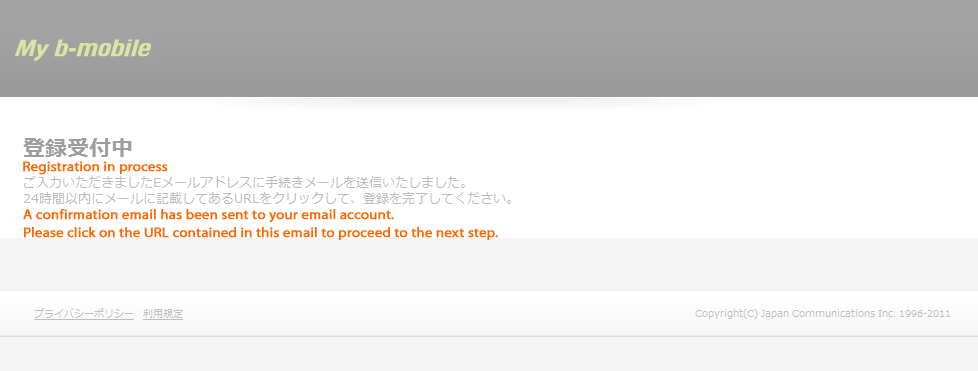
A confirmation email will be sent to your email account.
Please click on the URL contained in this email to proceed to the next step.
- You can get started on registering your 日本通信ID by clicking on the Register button at the bottom of this page

(click to enlarge)- »
- ∨
(click to enlarge)- »
- ∨
(click to enlarge)
Step 2: Click on the URL contained in the confirmation email
- Click on the URL in the confirmation email sent to your email account to access the login page.
- Please login with your 日本通信ID (email address) and password.
- »
- ∨

(click to enlarge)
Step 3: Register your credit card information
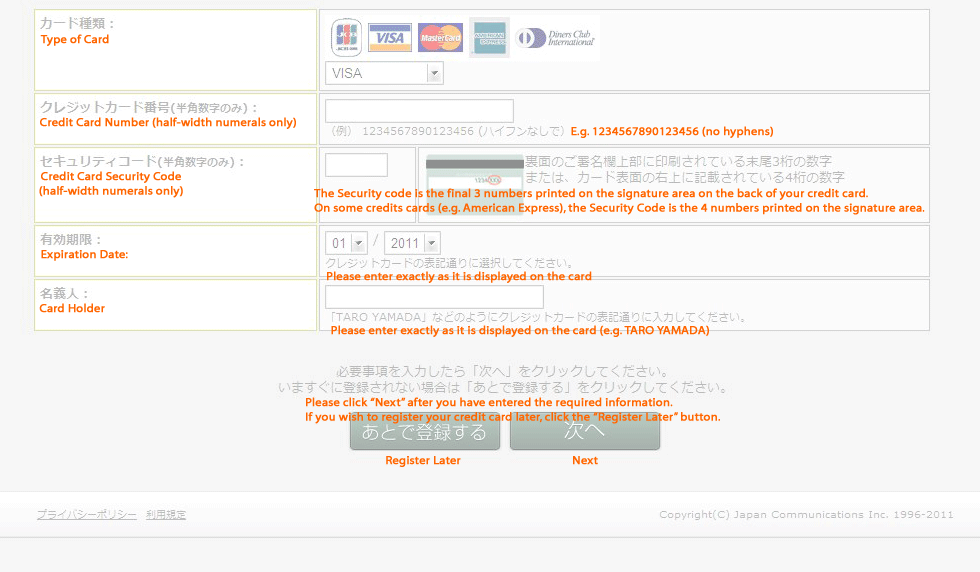
- When you login, the credit card registration page will be displayed.
By registering a credit card you can Charge your b-mobile service whenever you want to without having to reenter any information. Once you have entered the required information, click “Next” to complete Credit Card registration.
- You can register a credit card at anytime. If you wish to register your credit card later, click the “Register Later” button.
(click to enlarge)
Go to Registration Page
